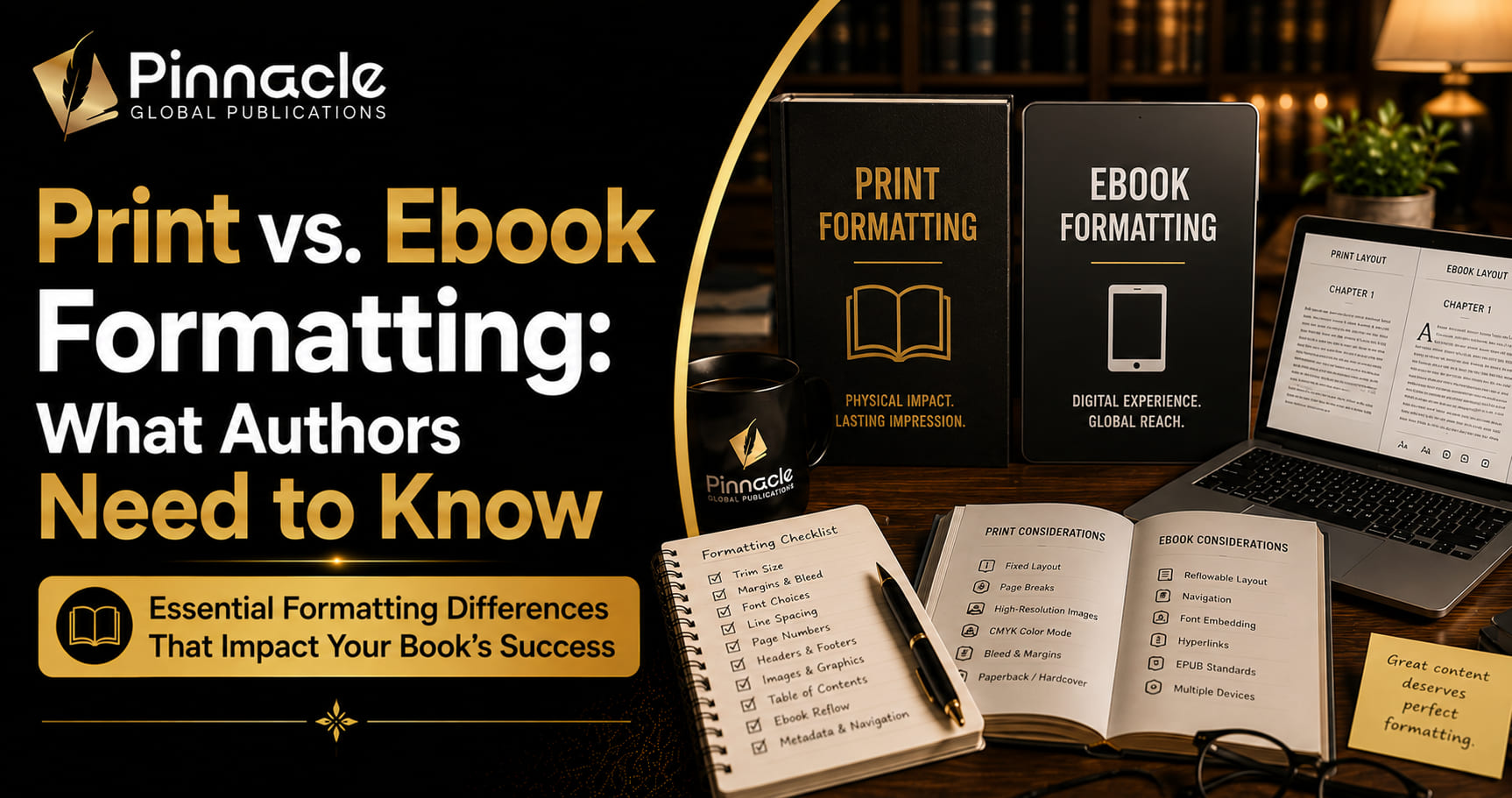
A surprising number of first-time authors assume that once their manuscript is formatted for print, the ebook version is basically the same file with minor adjustments. It isn’t. Print and ebook formatting solve two fundamentally different technical problems, and understanding what actually changes between them is what prevents a book from looking polished in one format and broken in the other.
The Core Difference: Fixed Layout vs. Reflowable Text
Print formatting is fixed-layout. Every page break, every widow and orphan line, every header and footer is set in stone once the file goes to the printer — what you see in the final proof is exactly what the reader gets, on every copy, forever.
Ebook formatting is reflowable. The text adapts to whatever screen size and font settings the reader has chosen — a phone, a tablet, an e-reader, each rendering the same file differently. There’s no single fixed page layout to control; instead, the formatting has to work correctly across a wide range of possible display conditions.
This single distinction is the reason a print-formatted file doesn’t just convert cleanly into an ebook. The entire technical approach is different.
What Changes: Print Formatting
- Trim size and margins. Margins are calculated for the book’s specific physical dimensions, with extra inside margin to account for the spine so text doesn’t crowd the binding.
- Page numbers, headers, footers. These exist because print has physical pages — running headers with the book or chapter title, consistent page numbering, front matter numbered differently from the body.
- Widows and orphans. A single word or short line stranded at the top or bottom of a page is a formatting error unique to fixed-layout print — there’s no equivalent concept in reflowable text.
- Font choice for physical readability. Serif fonts remain standard for print fiction because they’re well-tested for extended physical reading; the choice also interacts with paper type and printing method.
What Changes: Ebook Formatting
- No fixed page breaks. Since text reflows based on reader settings, there’s no such thing as a widow or a fixed page count — chapter breaks matter, page breaks within a chapter don’t.
- Navigation and table of contents. A functional, clickable table of contents is essential for ebooks in a way it isn’t for print — readers jump between chapters digitally, and a broken or missing nav structure is a common and glaring ebook formatting failure.
- File format itself. Ebooks use formats like EPUB or MOBI, built on structured markup rather than a fixed visual layout — a genuinely different file type, not just a differently-formatted document.
- Font flexibility. Since readers can often change the font and size on their device, the ebook formatter’s job is ensuring the underlying structure (headings, paragraph styles, emphasis) holds up regardless of what font the reader ultimately sees it in.
- Images and design elements. Complex layouts, sidebars, or precise image placement that work fine in a fixed print page can break or look wrong across the range of screen sizes an ebook has to support.
Why You Need Both, Formatted Separately
Most published books exist in both formats, and most readers expect to be able to choose. Skipping proper ebook formatting in favor of a straight print-to-PDF conversion is a common mistake — it often produces an ebook with a fixed, unreadably tiny layout on phone screens, broken navigation, and no ability for readers to adjust font size, all things ebook readers expect as standard.
The reverse mistake — formatting only for ebook and printing that same file — usually produces a print book with inconsistent margins, no accounting for the spine, and missing the reading conventions (running headers, proper front matter) that make a physical book feel professionally produced.
A Quick Guide to Ebook File Formats
“Ebook formatting” isn’t even a single target file type — different retailers and devices expect different formats, which adds another layer authors don’t always anticipate:
- EPUB is the industry-standard reflowable format, used by Apple Books, Kobo, Barnes & Noble, and most retailers outside Amazon. It’s built on structured XHTML and CSS under the hood, which is why clean, consistent styling in the source manuscript matters so much for a good conversion.
- MOBI / KPF is Amazon’s Kindle-specific format family. Amazon’s Kindle Direct Publishing platform has its own conversion tools and requirements, and a file that renders perfectly as EPUB elsewhere can still need adjustments for Kindle-specific quirks.
- PDF is technically usable as an ebook but is fixed-layout, not reflowable — it’s a reasonable choice only for heavily illustrated books where preserving exact layout matters more than adapting to different screen sizes, and a poor choice for standard fiction or nonfiction.
A formatter delivering “ebook files” should be producing the specific formats your intended retailers actually require, not a single generic file assumed to work everywhere.
A Practical Comparison
- File type: Print uses a print-ready PDF; ebook uses EPUB (and sometimes MOBI for specific platforms).
- Page concept: Print has literal, fixed pages; ebook has “locations” or reflowable screens with no fixed page count.
- Margins: Print margins are calculated for trim size and spine; ebooks don’t have margins in the same sense, since the reading app controls display spacing.
- Table of contents: Print TOC is a static page with page numbers; ebook TOC is interactive and clickable, embedded in the file’s navigation structure.
- Font control: Print locks in the exact font the reader sees; ebook often lets the reader override the font entirely.
Common Mistakes Authors Make Between the Two
- Exporting a print PDF and calling it an ebook. This produces a fixed-size image-like page that doesn’t reflow, often unreadable on a phone screen and rejected or flagged by ebook retailers during upload.
- Using manual line breaks in the ebook file. Line breaks that look fine in a Word document often show up as broken, inconsistent paragraph spacing once converted to EPUB, because reflowable text handles manual formatting differently than fixed-layout print.
- Forgetting a working table of contents in the ebook. A missing or broken interactive TOC is one of the most common reasons ebook files get rejected during retailer upload, and one of the most common reader complaints when it slips through.
- Applying complex print design elements to ebook. Sidebars, multi-column layouts, and precise image-and-text wrapping that work in a fixed print page often break, overlap, or disappear across the range of screen sizes ebooks have to support.
- Skipping a dedicated ebook proofing pass. Since ebook conversion can introduce its own formatting errors, a proofread done only on the print file won’t catch problems specific to the ebook version.
How to Tell If Your Files Are Actually Ready
For print, check the final proof at actual size (not zoomed in on a screen) for consistent margins, no widows or orphans, and correct page numbering throughout, including front matter. For ebook, open the file on at least two different devices or apps (a phone and a tablet, or two different e-reader apps) and confirm the table of contents navigates correctly, text reflows cleanly at different font sizes, and no images or design elements break or overlap. Testing on only one device is a common reason ebook formatting problems go unnoticed until a reader reports them.
What This Means for Your Budget and Timeline
Because these are genuinely separate technical processes, expect to budget for both as distinct line items rather than assuming one formatting fee covers everything. Many formatting services price them separately for exactly this reason — the labor involved in careful print pagination is different from the labor involved in building clean, well-structured ebook navigation. Budgeting for both from the start avoids a surprise second invoice later, and building both into your production timeline avoids a rushed, lower-quality ebook conversion tacked on at the last minute.
Frequently Asked Questions
What’s the real difference between print and ebook formatting? Print is fixed-layout — every page break is permanent. Ebook is reflowable — text adapts to the reader’s device and settings, so there are no fixed pages to control.
Can I use the same file for both print and ebook? Not directly. Each format needs its own formatting pass; a straight conversion from one to the other typically produces visible problems in the converted format.
Do ebooks need page numbers? No — since text reflows based on reader settings, fixed page numbers don’t apply the same way. Ebooks use chapter-based navigation instead of page-number references.
Which should I format first, print or ebook? Either order works, but many formatters recommend finalizing print first, since it locks in the definitive text, then adapting that finalized text into the ebook’s reflowable structure.
Is ebook formatting cheaper than print formatting? Often slightly less expensive since there’s no trim-size-specific pagination work, but both require real, distinct technical attention — treating either as an afterthought tends to show in the final product.
Do I need a different file for every ebook retailer? Not always a fully different file, but sometimes different formats — Amazon Kindle generally needs its own file family separate from the EPUB used by other retailers, so factor that into which platforms you’re planning to publish on.
What happens if I only format for one and skip the other? You can publish in just one format, but you’re limiting your audience — many readers have a strong preference for print or ebook specifically, and offering only one means losing sales to readers who simply won’t buy in the format you didn’t produce.
Getting Both Formats Done Right
Because print vs. ebook formatting are genuinely different disciplines, it’s worth working with a professional book formatting service that treats both as their own dedicated pass rather than a quick conversion between the two. Readers on either format notice when it’s done carelessly — the difference between a book that reads cleanly wherever it’s opened and one that quietly signals it was an afterthought in one of the two.
If you’re not sure what your manuscript needs for either format, reach out and we’ll walk through exactly what your specific print and ebook files require.